



 1723Likes
Thread: 1940 Ford Tudor Build Thread


Results 76 to 90 of 1333
 LinkBack URL
 About LinkBacks
-
07-16-2012 12:49 PM #76
 CHR Member

- Join Date
- Apr 2011
- Location
- Prairie City
- Car Year, Make, Model: 40 Ford Deluxe, 68 Corvette, 72&76 K30
- Posts
- 7,301
- Blog Entries
- 1
Stovens, thanks for the insight on CPP. I ordered my drop spindles from them off ebay. They were the cheapest hands down.Ryan
1940 Ford Deluxe Tudor 354 Hemi 46RH Electric Blue w/multi-color flames, Ford 9" Residing in multiple pieces
1968 Corvette Coupe 5.9 Cummins Drag Car 11.43@130mph No stall leaving the line with 1250 rpm's and poor 2.2 60'
1972 Chevy K30 Longhorn P-pumped 24v Compound Turbos 47RH Just another money pit
1971 Camaro RS 5.3 BTR Stage 3 cam, SuperT10
Tire Sizes
-
Advertising

- Google Adsense
- REGISTERED USERS DO NOT SEE THIS AD
-
07-16-2012 01:38 PM #77
CHR Member
- Join Date
- Apr 2011
- Location
- Prairie City
- Car Year, Make, Model: 40 Ford Deluxe, 68 Corvette, 72&76 K30
- Posts
- 7,301
- Blog Entries
- 1
I can't get my pics to load because they're too big I think. Dang photobucket. I'll take different ones and try tomorrow.Ryan
1940 Ford Deluxe Tudor 354 Hemi 46RH Electric Blue w/multi-color flames, Ford 9" Residing in multiple pieces
1968 Corvette Coupe 5.9 Cummins Drag Car 11.43@130mph No stall leaving the line with 1250 rpm's and poor 2.2 60'
1972 Chevy K30 Longhorn P-pumped 24v Compound Turbos 47RH Just another money pit
1971 Camaro RS 5.3 BTR Stage 3 cam, SuperT10
Tire Sizes
-
07-16-2012 01:40 PM #78
CHR Member
- Join Date
- Apr 2011
- Location
- Prairie City
- Car Year, Make, Model: 40 Ford Deluxe, 68 Corvette, 72&76 K30
- Posts
- 7,301
- Blog Entries
- 1
I spoke with 2 local guys that have both been building rods there entire lives, they both said it'll be just fine. Just gusset it and go on. I think when I get to that point, I'll do the dual point rear mount on the lower arms to be safe. Originally Posted by randyr

Ryan
1940 Ford Deluxe Tudor 354 Hemi 46RH Electric Blue w/multi-color flames, Ford 9" Residing in multiple pieces
1968 Corvette Coupe 5.9 Cummins Drag Car 11.43@130mph No stall leaving the line with 1250 rpm's and poor 2.2 60'
1972 Chevy K30 Longhorn P-pumped 24v Compound Turbos 47RH Just another money pit
1971 Camaro RS 5.3 BTR Stage 3 cam, SuperT10
Tire Sizes
-
07-16-2012 05:25 PM #79
CHR Member
- Join Date
- Feb 2007
- Location
- Santa Monica
- Car Year, Make, Model: 37 Ford tudor humpback
- Posts
- 1,988
Good to know, Ryan. Thanks! Originally Posted by 40FordDeluxe
Now go get those pics downsized so we can see what you've been up to!!
"It is not much good thinking of a thing unless you think it out." - H.G. Wells
-
07-17-2012 02:16 PM #80
CHR Member
- Join Date
- Apr 2011
- Location
- Prairie City
- Car Year, Make, Model: 40 Ford Deluxe, 68 Corvette, 72&76 K30
- Posts
- 7,301
- Blog Entries
- 1
For some reason I can't upload pics to photobucket. My pics are too big to upload on this site, so I'm not sure what to do. It is getting old trying to upload these pics though.
Ryan
1940 Ford Deluxe Tudor 354 Hemi 46RH Electric Blue w/multi-color flames, Ford 9" Residing in multiple pieces
1968 Corvette Coupe 5.9 Cummins Drag Car 11.43@130mph No stall leaving the line with 1250 rpm's and poor 2.2 60'
1972 Chevy K30 Longhorn P-pumped 24v Compound Turbos 47RH Just another money pit
1971 Camaro RS 5.3 BTR Stage 3 cam, SuperT10
Tire Sizes
-
07-17-2012 02:27 PM #81
CHR Member
- Join Date
- Feb 2007
- Location
- Santa Monica
- Car Year, Make, Model: 37 Ford tudor humpback
- Posts
- 1,988
You could also just copy the link to the photobucket album, even though that isn't as fun as having the pics show up in the post. Originally Posted by 40FordDeluxe
If you also have the pics on your computer, you could try clicking on the "insert image" button in the toolbar and see how that turns out. You can always test how big it is by preview post before submitting.
I usually run all my pics through that software that came with my camera. It downsizes them for email, etc.
Maybe someone else will have some other suggestions..."It is not much good thinking of a thing unless you think it out." - H.G. Wells
-
07-18-2012 12:09 AM #82
CHR Member
- Join Date
- Apr 2011
- Location
- Prairie City
- Car Year, Make, Model: 40 Ford Deluxe, 68 Corvette, 72&76 K30
- Posts
- 7,301
- Blog Entries
- 1
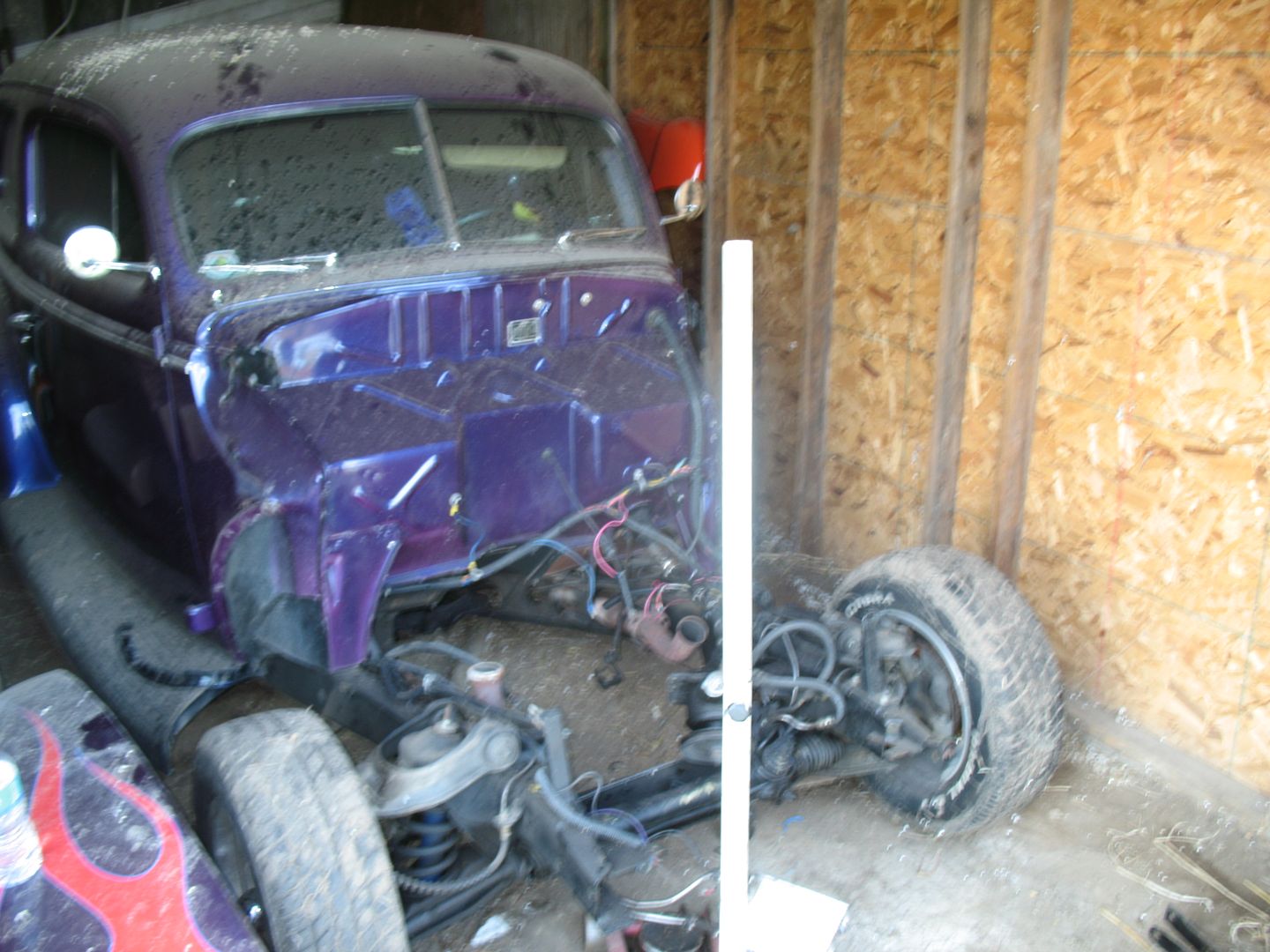
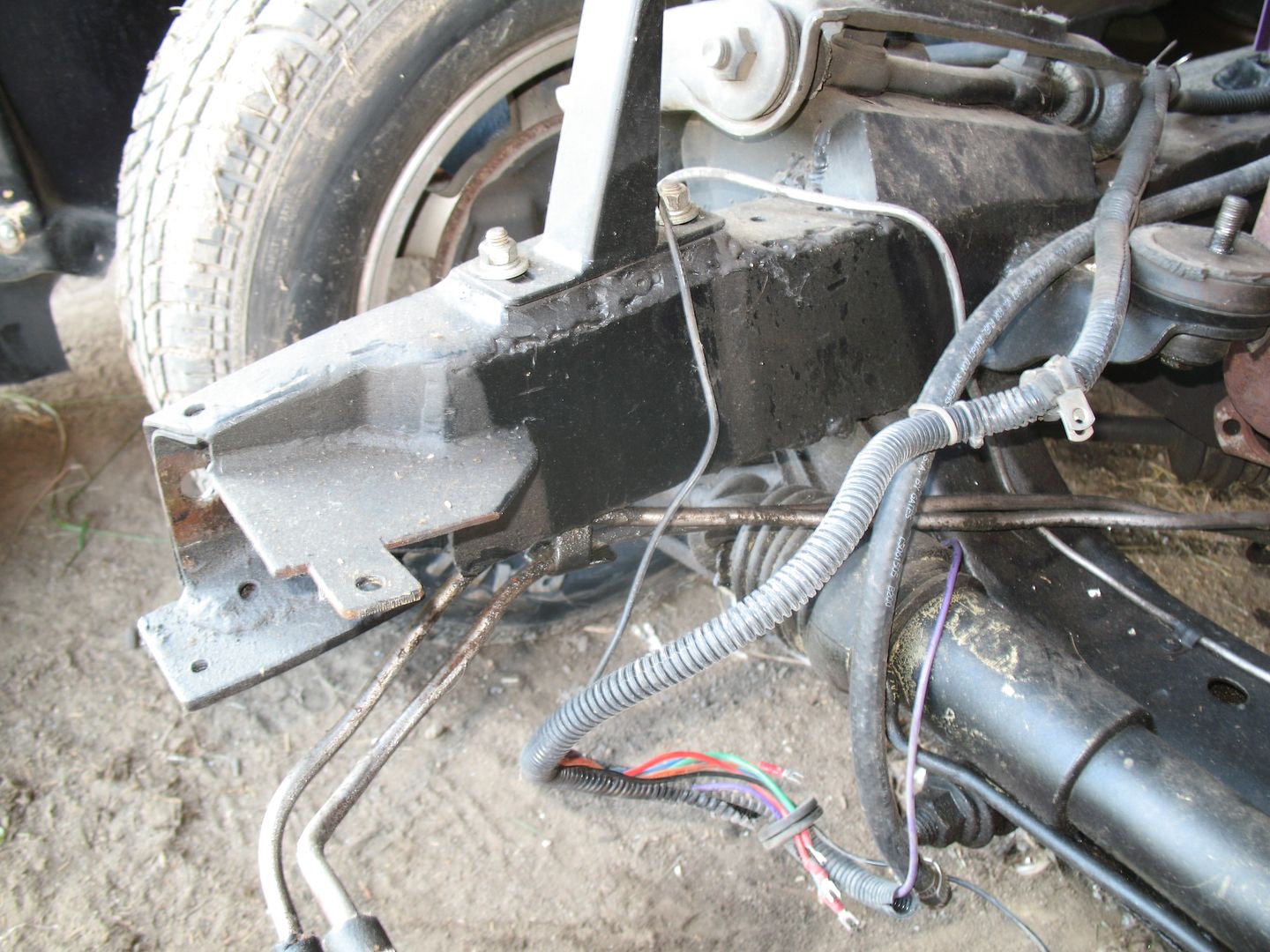
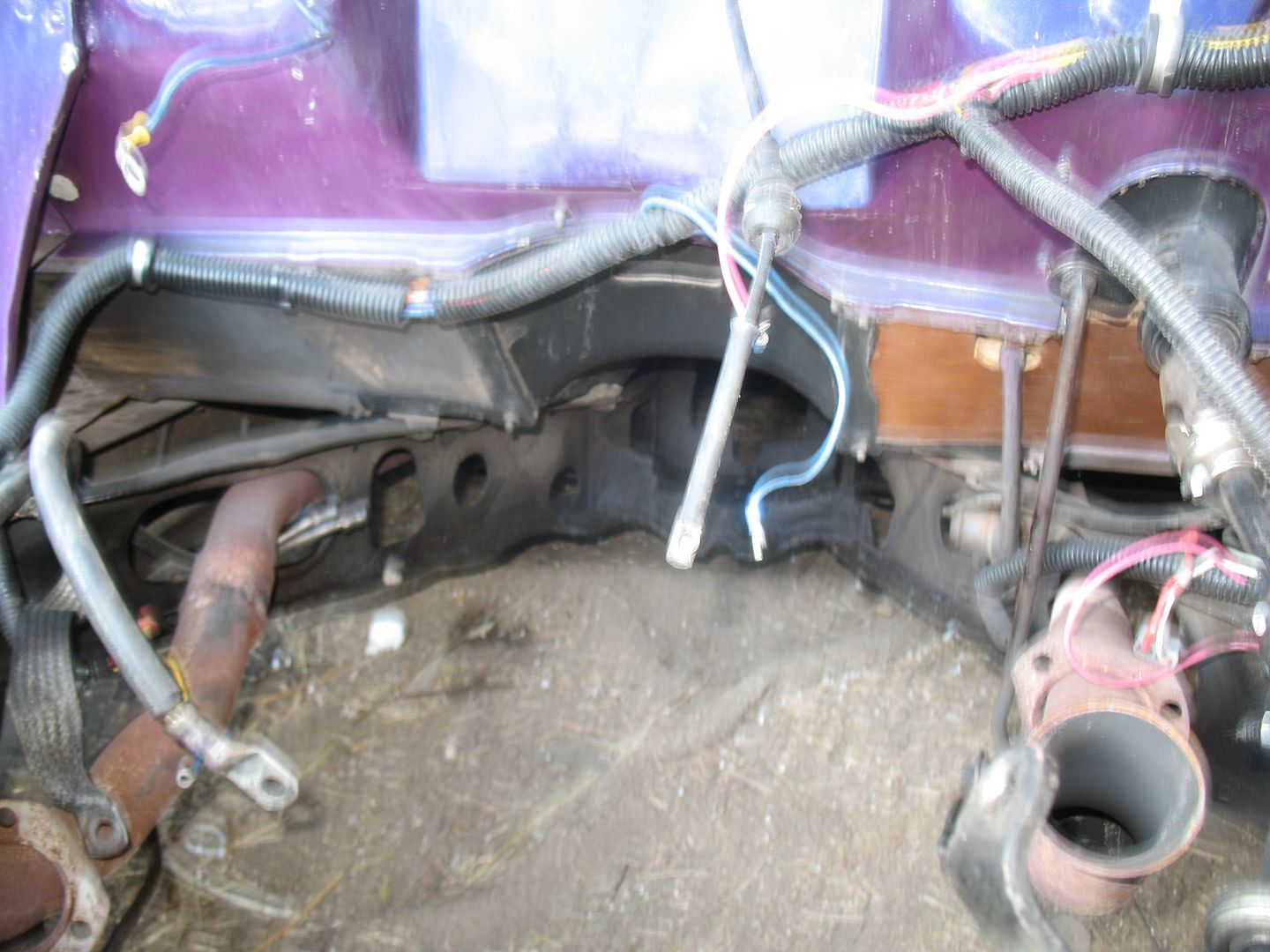
I haven't had any issues until recently. I don't know if photobucket is changing stuff but their site has been wacked recently. I was able to get a few pics to load. They aren't the best, but pics are progress. Right?
Front clip off
Bad welds on frame boxing plates
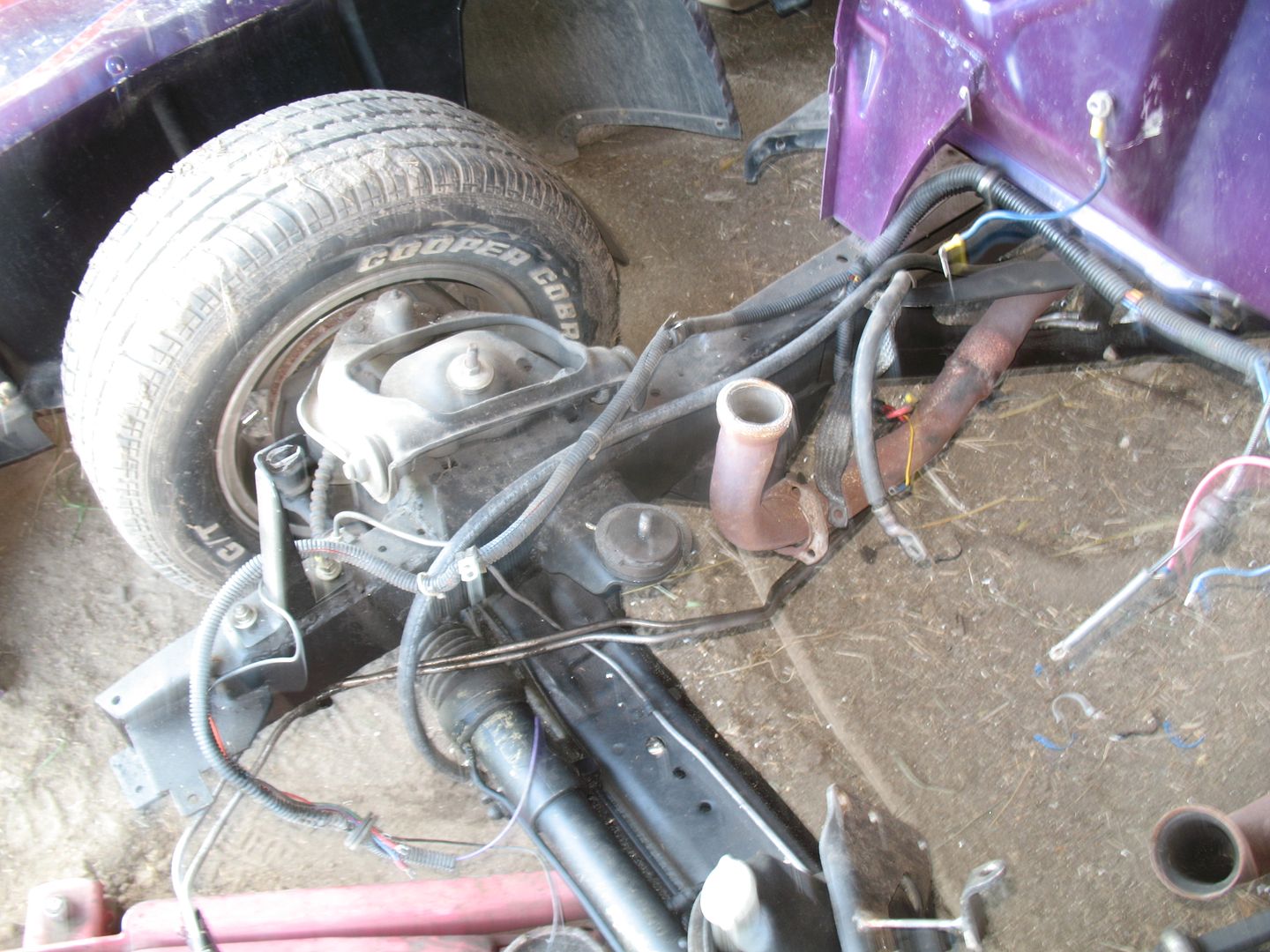
A view of the x member, what's left.
My new valve covers!
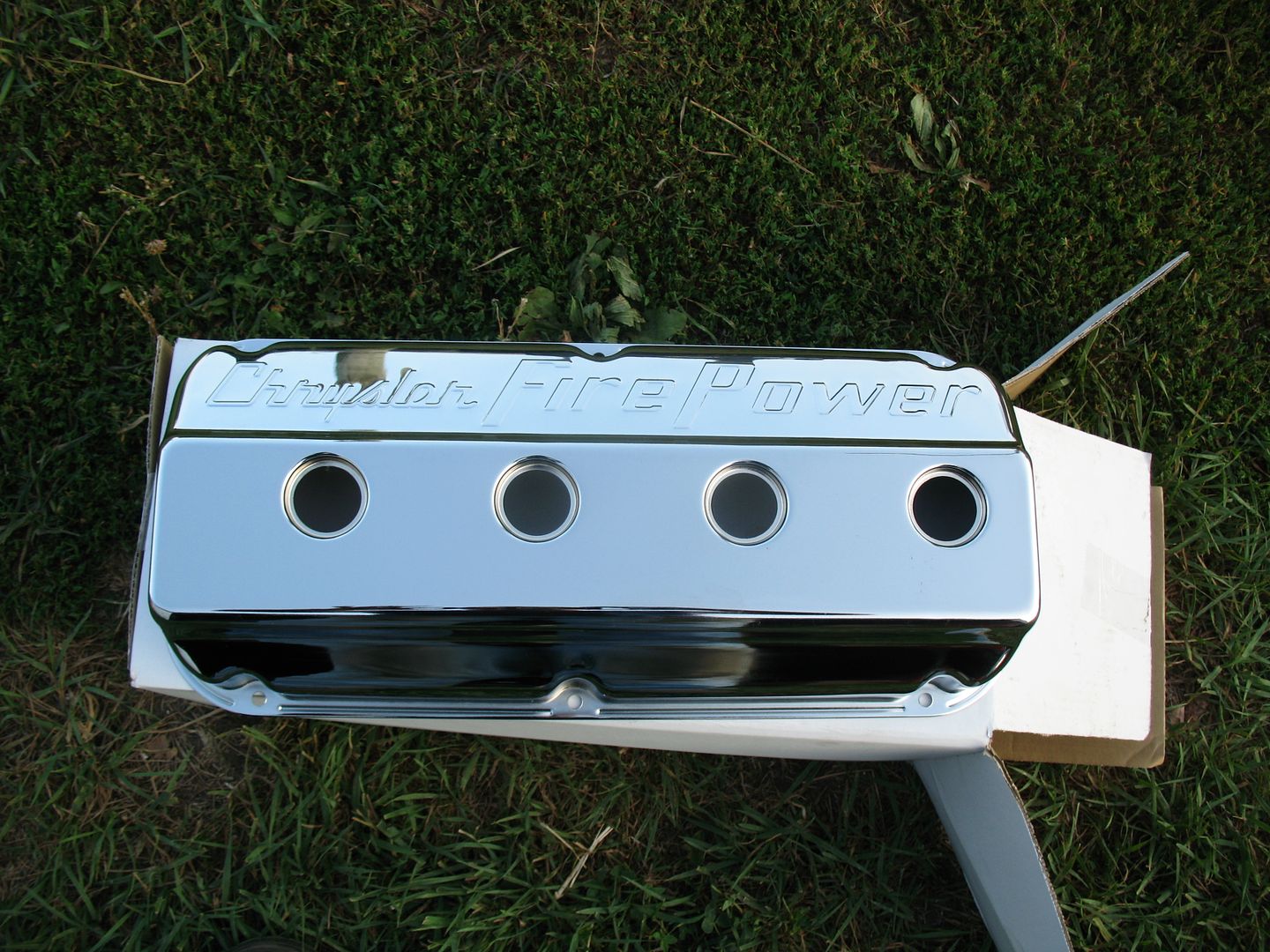
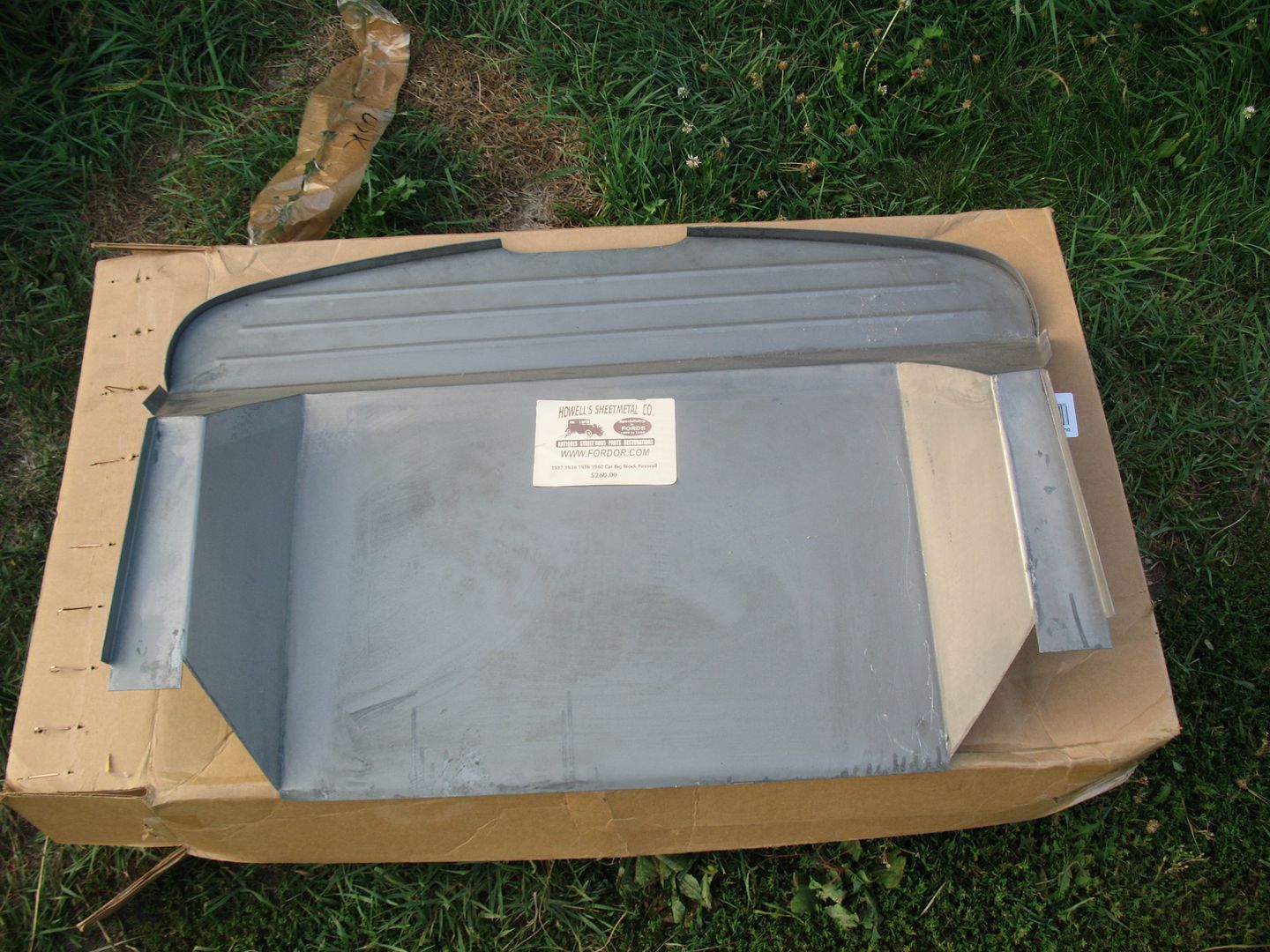
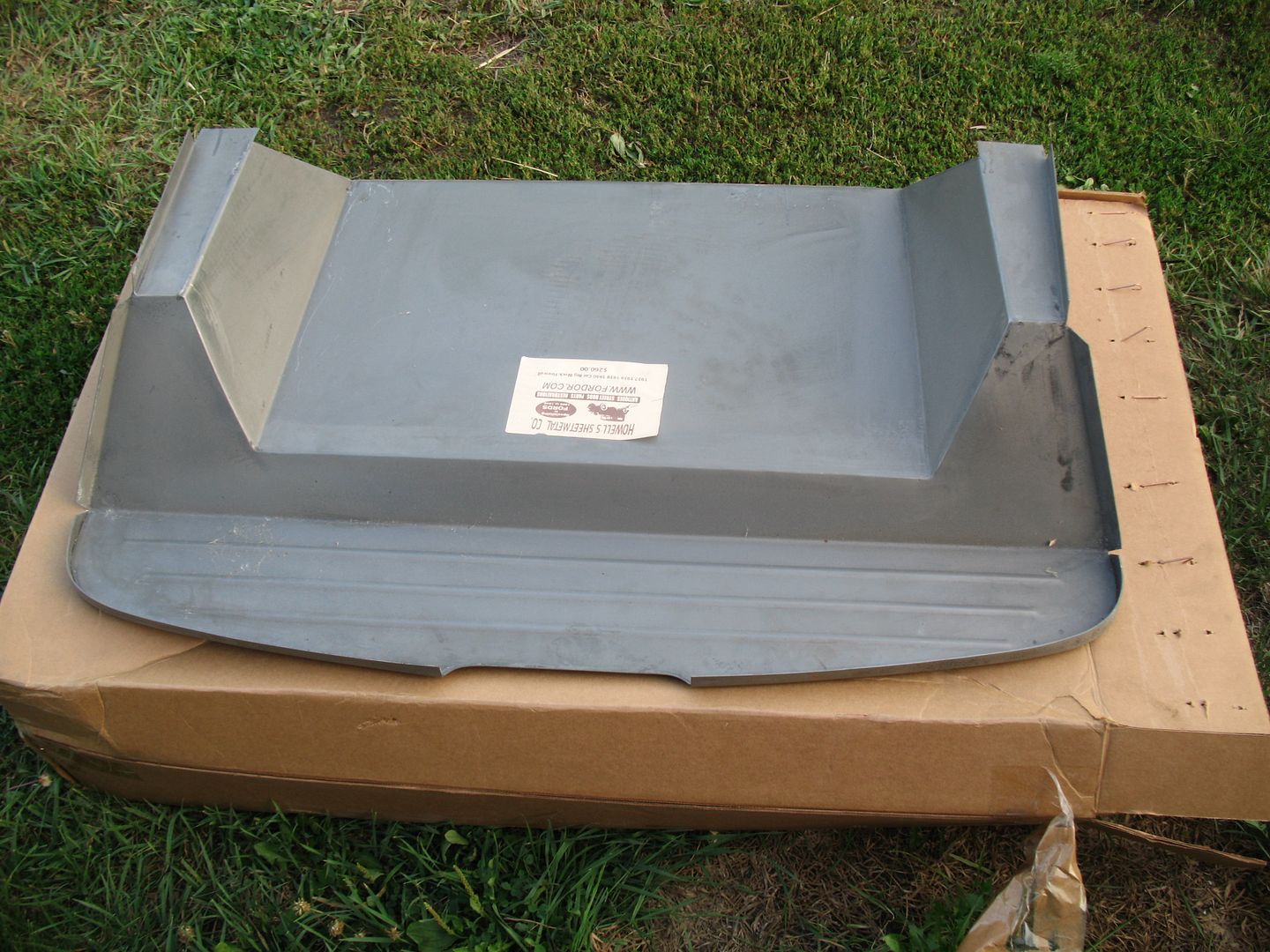
My firewall. This was the cheapest I could find and it is really nice!
I got email confirmation that my control arms and the spindles have shipped. I put some stuff on ebay to help fund more parts for the hemi. Hopefully they bring good money.
Ryan
1940 Ford Deluxe Tudor 354 Hemi 46RH Electric Blue w/multi-color flames, Ford 9" Residing in multiple pieces
1968 Corvette Coupe 5.9 Cummins Drag Car 11.43@130mph No stall leaving the line with 1250 rpm's and poor 2.2 60'
1972 Chevy K30 Longhorn P-pumped 24v Compound Turbos 47RH Just another money pit
1971 Camaro RS 5.3 BTR Stage 3 cam, SuperT10
Tire Sizes
-
07-18-2012 06:05 AM #83
CHR Member
- Join Date
- Feb 2007
- Location
- Santa Monica
- Car Year, Make, Model: 37 Ford tudor humpback
- Posts
- 1,988
Thanks for the pics, Ryan!
Looks like you might be able to clean those welds up a little with your grinder and make them look decent. That big engine is probably going to block them from view anyway!
I used one of the trans mounting kits from these guys to clean up that center section a bit. I had to modify it after I decided to go with a T5 five speed instead of the C4 automatic. page 54
They also have a replacement center x page 60 It's not tubular like the one from Summit but it's less expensive if you wanna go that route.
Hope you get your photobucket issues figured out.
"It is not much good thinking of a thing unless you think it out." - H.G. Wells
-
07-18-2012 12:53 PM #84
CHR Member
- Join Date
- Apr 2011
- Location
- Prairie City
- Car Year, Make, Model: 40 Ford Deluxe, 68 Corvette, 72&76 K30
- Posts
- 7,301
- Blog Entries
- 1
Randy, I actually ordered new boxing plates for the front from them and was going to order their cross member kit. The guy I was speaking with told me to build my own since I'd more than likely have to modify theirs so much to make it work. On the welds, I think I'm going to grind them and bevel them, and reweld them. You're probably right, that big ol engine will block them, but it will drive me nuts knowing I didn't make it as nice as I could. I thought about buying headers for the 354 right now, but thought the same thing. Like you'll really be able to see them. Those can wait after you can turn the ignition and hear some good noise. LOL
Ryan
1940 Ford Deluxe Tudor 354 Hemi 46RH Electric Blue w/multi-color flames, Ford 9" Residing in multiple pieces
1968 Corvette Coupe 5.9 Cummins Drag Car 11.43@130mph No stall leaving the line with 1250 rpm's and poor 2.2 60'
1972 Chevy K30 Longhorn P-pumped 24v Compound Turbos 47RH Just another money pit
1971 Camaro RS 5.3 BTR Stage 3 cam, SuperT10
Tire Sizes
-
07-18-2012 01:02 PM #85
CHR Member
- Join Date
- Apr 2011
- Location
- Prairie City
- Car Year, Make, Model: 40 Ford Deluxe, 68 Corvette, 72&76 K30
- Posts
- 7,301
- Blog Entries
- 1
Here's most of the reason why I haven't been working on this car a lot yet. This is a 88 Suburban I'm swapping a 5.9 Cummins in as well as the axles and drive train. I'm over half way done. My brother and I run a diesel repair shop part time and both hold full time jobs. So it gets hard to get any thing done. LOL
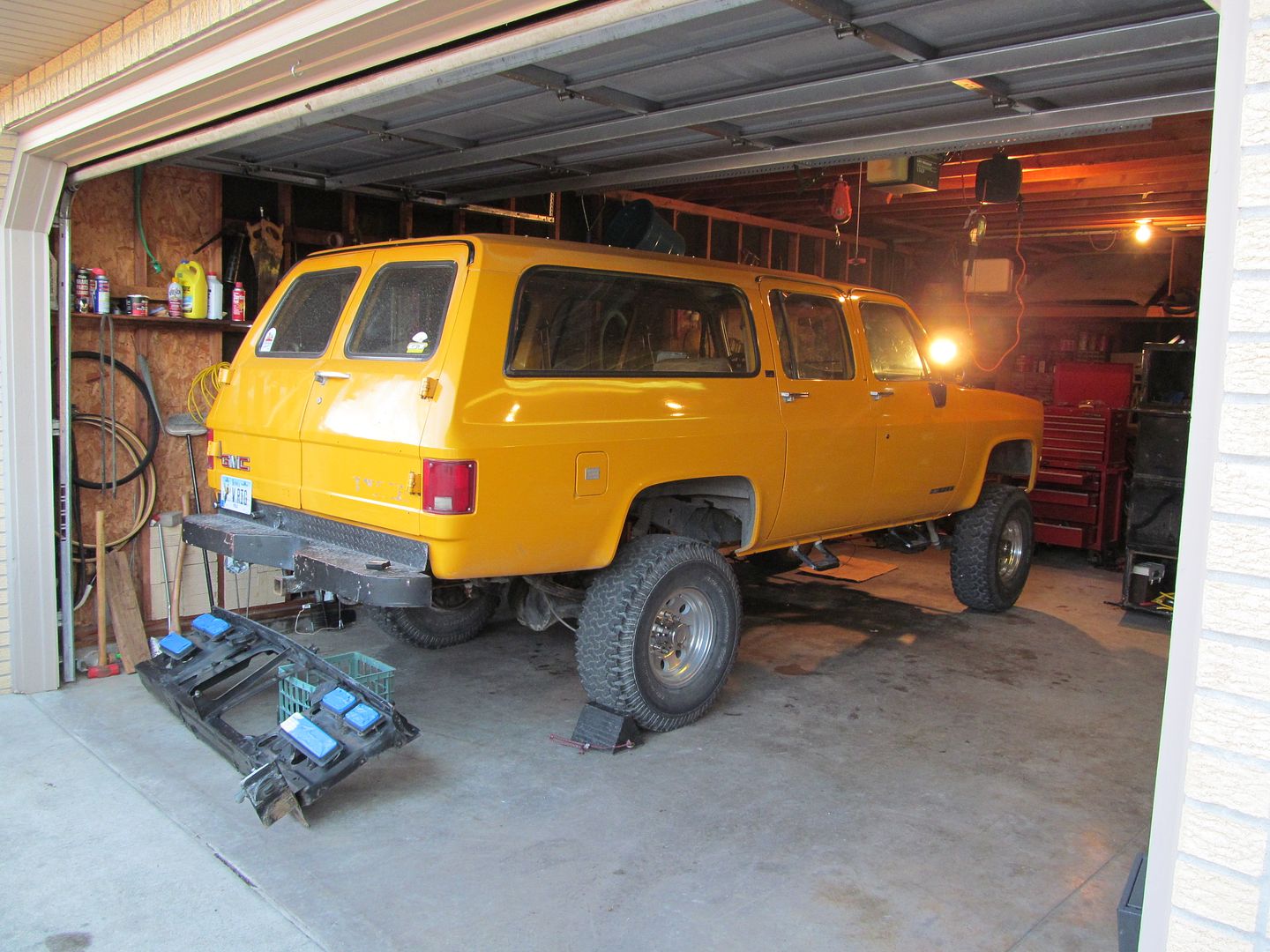
Starting with this:
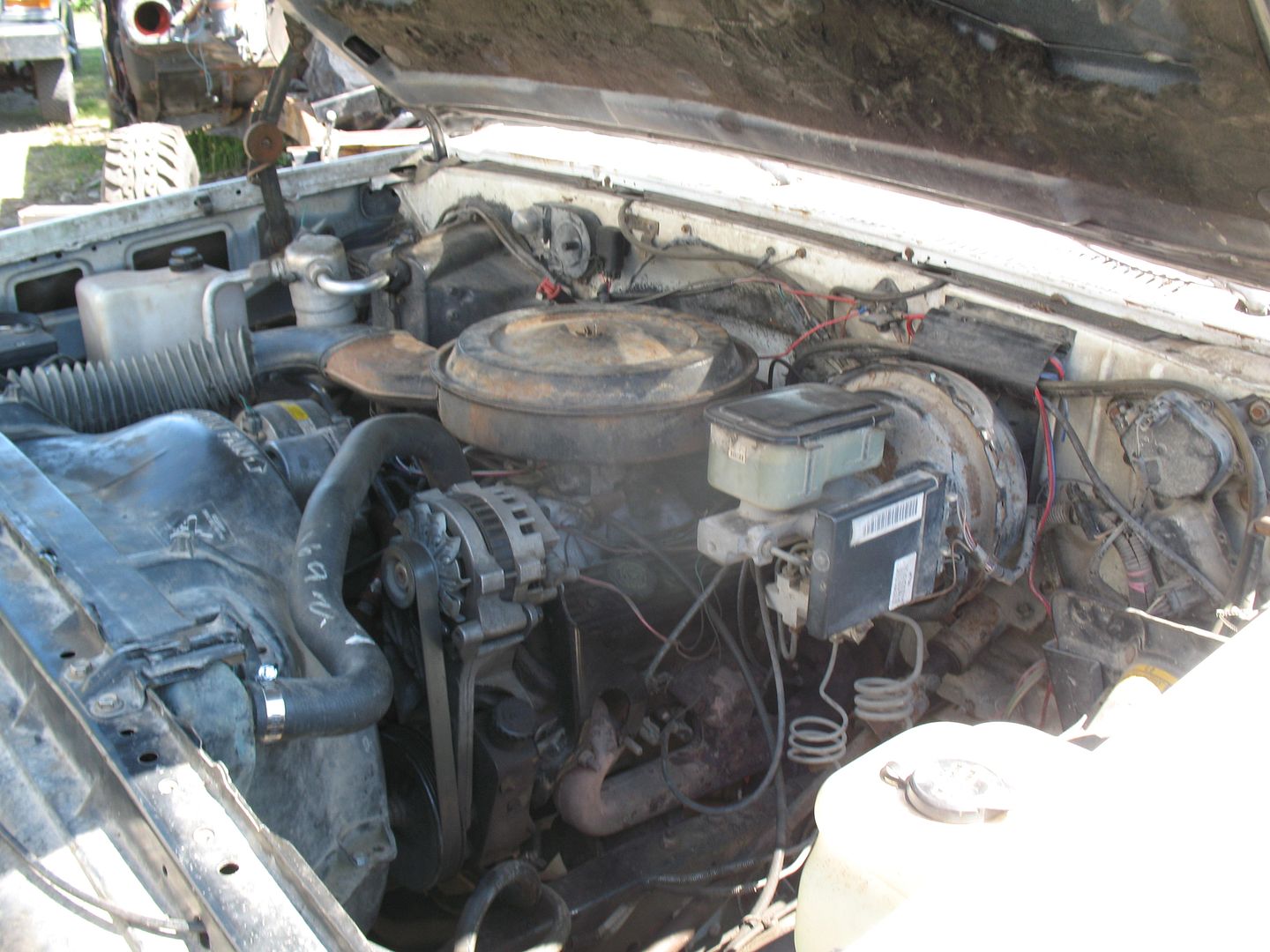
And going with this:
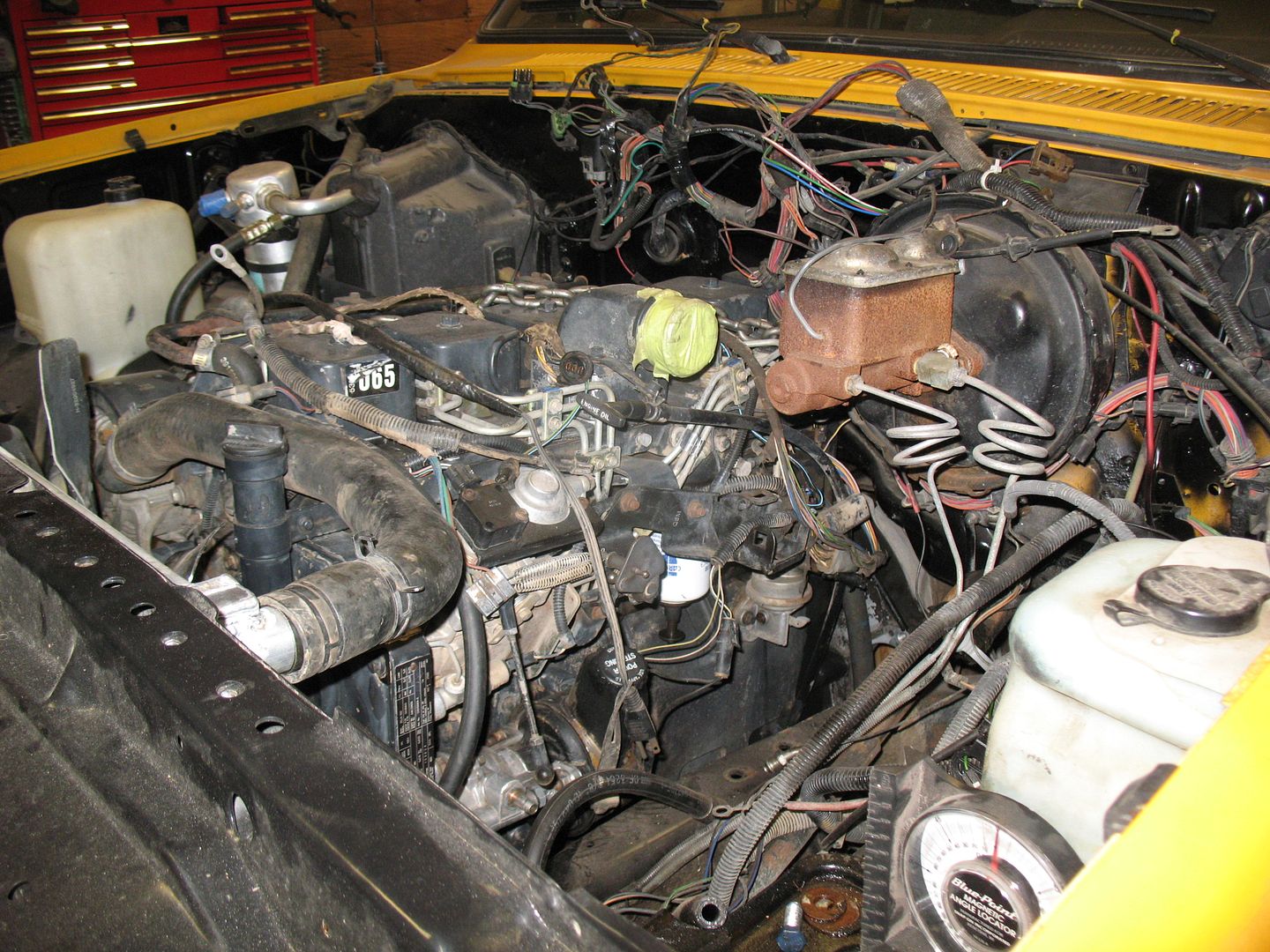
That is a pic of when I was doing mock up. Hopefully by the end of the week the engine is in for the final time.Ryan
1940 Ford Deluxe Tudor 354 Hemi 46RH Electric Blue w/multi-color flames, Ford 9" Residing in multiple pieces
1968 Corvette Coupe 5.9 Cummins Drag Car 11.43@130mph No stall leaving the line with 1250 rpm's and poor 2.2 60'
1972 Chevy K30 Longhorn P-pumped 24v Compound Turbos 47RH Just another money pit
1971 Camaro RS 5.3 BTR Stage 3 cam, SuperT10
Tire Sizes
-
07-18-2012 03:03 PM #86
CHR Member/Contributor
- Join Date
- Jul 2003
- Location
- Madison
- Car Year, Make, Model: '67 Ranchero, '57 Chevy, '82 Camaro,
- Posts
- 21,160
All that torque will probably scare the heck out of that poor old 'Burb!!!!!!!Yesterday is history, tomorrow is a mystery, Live for Today!
Carroll Shelby
Learning must be difficult for those who already know it all!!!!
-
07-19-2012 02:53 PM #87
CHR Member
- Join Date
- Apr 2011
- Location
- Prairie City
- Car Year, Make, Model: 40 Ford Deluxe, 68 Corvette, 72&76 K30
- Posts
- 7,301
- Blog Entries
- 1
Here are some more pics.
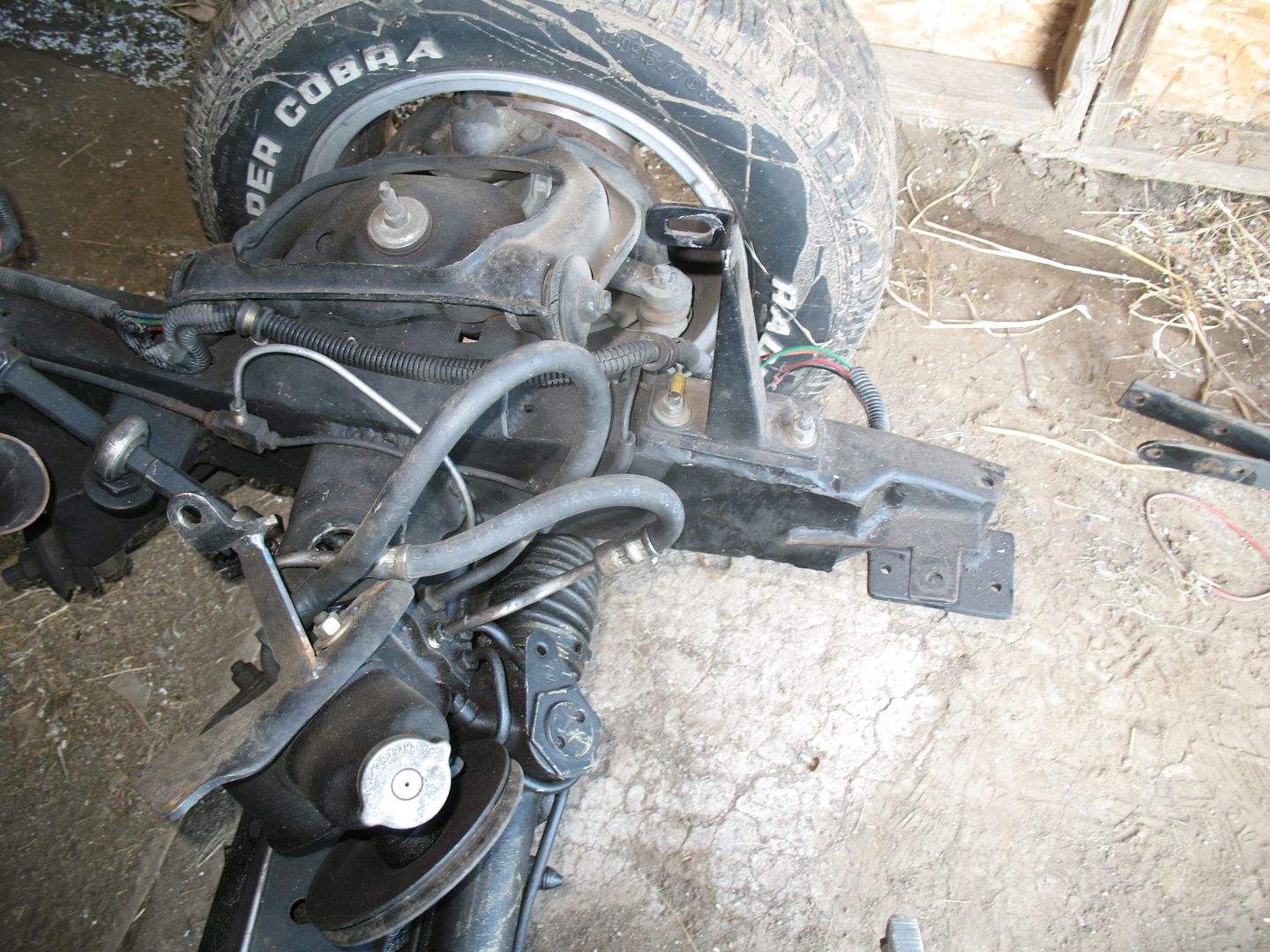
Today my tubular control arms showed up. When the spindles show up I might think about installing the new parts so I can get an idea of what is going to be in the way for modifications. My steering joint mount will need relocated I'm sure, and the old engine mounts need to go bye bye. I also have to see if my Flaming River rack will go on this cross member.Ryan
1940 Ford Deluxe Tudor 354 Hemi 46RH Electric Blue w/multi-color flames, Ford 9" Residing in multiple pieces
1968 Corvette Coupe 5.9 Cummins Drag Car 11.43@130mph No stall leaving the line with 1250 rpm's and poor 2.2 60'
1972 Chevy K30 Longhorn P-pumped 24v Compound Turbos 47RH Just another money pit
1971 Camaro RS 5.3 BTR Stage 3 cam, SuperT10
Tire Sizes
-
07-20-2012 02:28 PM #88
CHR Member
- Join Date
- Apr 2011
- Location
- Prairie City
- Car Year, Make, Model: 40 Ford Deluxe, 68 Corvette, 72&76 K30
- Posts
- 7,301
- Blog Entries
- 1
The drop spindles arrived today! Maybe I can find time to mess with one of my own projects this scorching hot weekend!Ryan
1940 Ford Deluxe Tudor 354 Hemi 46RH Electric Blue w/multi-color flames, Ford 9" Residing in multiple pieces
1968 Corvette Coupe 5.9 Cummins Drag Car 11.43@130mph No stall leaving the line with 1250 rpm's and poor 2.2 60'
1972 Chevy K30 Longhorn P-pumped 24v Compound Turbos 47RH Just another money pit
1971 Camaro RS 5.3 BTR Stage 3 cam, SuperT10
Tire Sizes
-
07-21-2012 10:33 PM #89
CHR Member
- Join Date
- Sep 2006
- Location
- New Lenox
- Car Year, Make, Model: 67 Mstg cpe , 37 Ford Coupe
- Posts
- 2,787
The time will come soon and you will have them on and it on the ground looking at the new stance .
m
-
07-25-2012 04:41 PM #90
CHR Member
- Join Date
- Apr 2011
- Location
- Prairie City
- Car Year, Make, Model: 40 Ford Deluxe, 68 Corvette, 72&76 K30
- Posts
- 7,301
- Blog Entries
- 1
Of course I didn't get to work on this poor thing. I made myself keep working on the Burb, and I had to put the front axle back together on a 97 drw tonner after I replaced the axle seals. (Which sucked) Here are pics of the control arms.
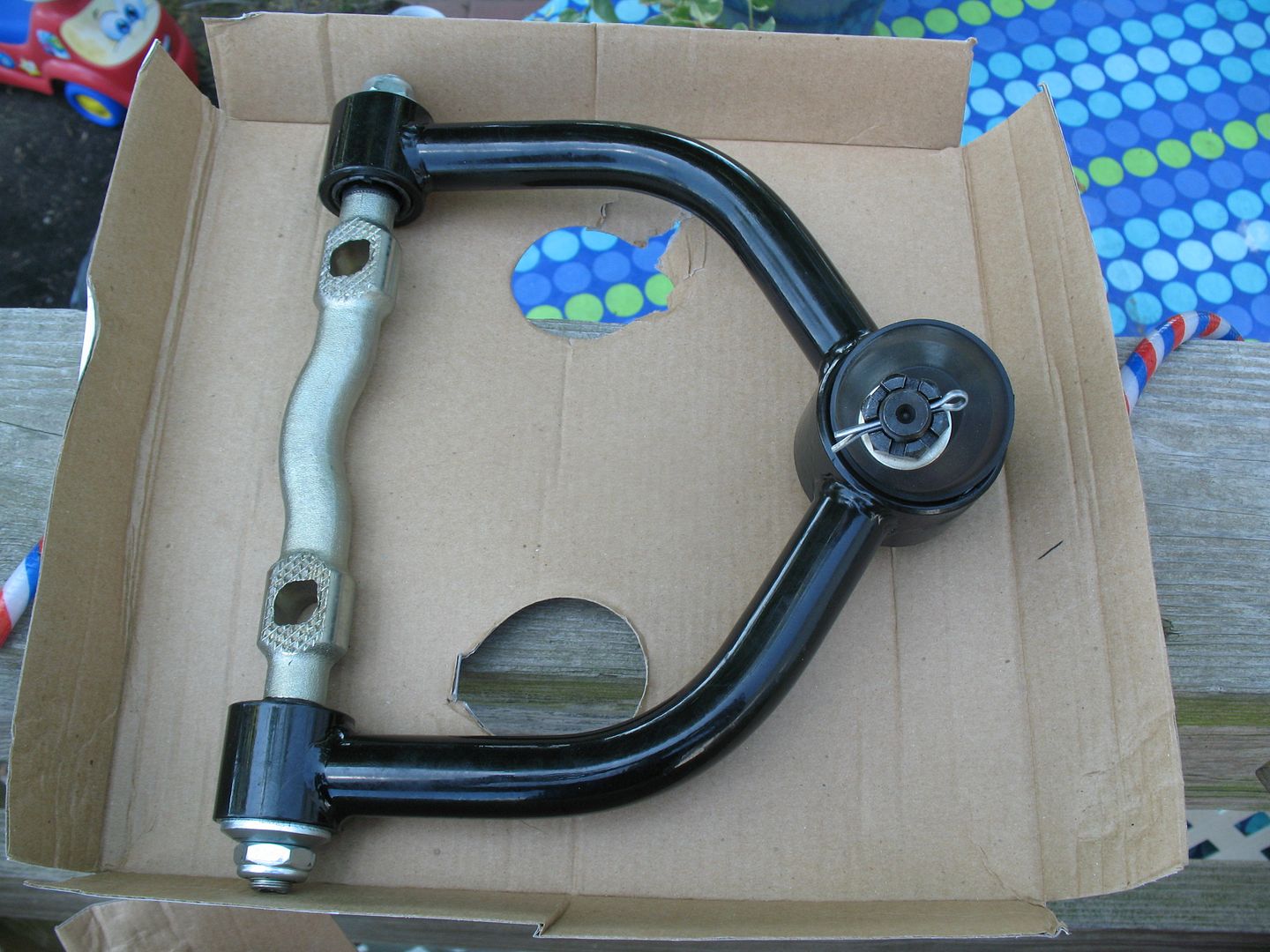
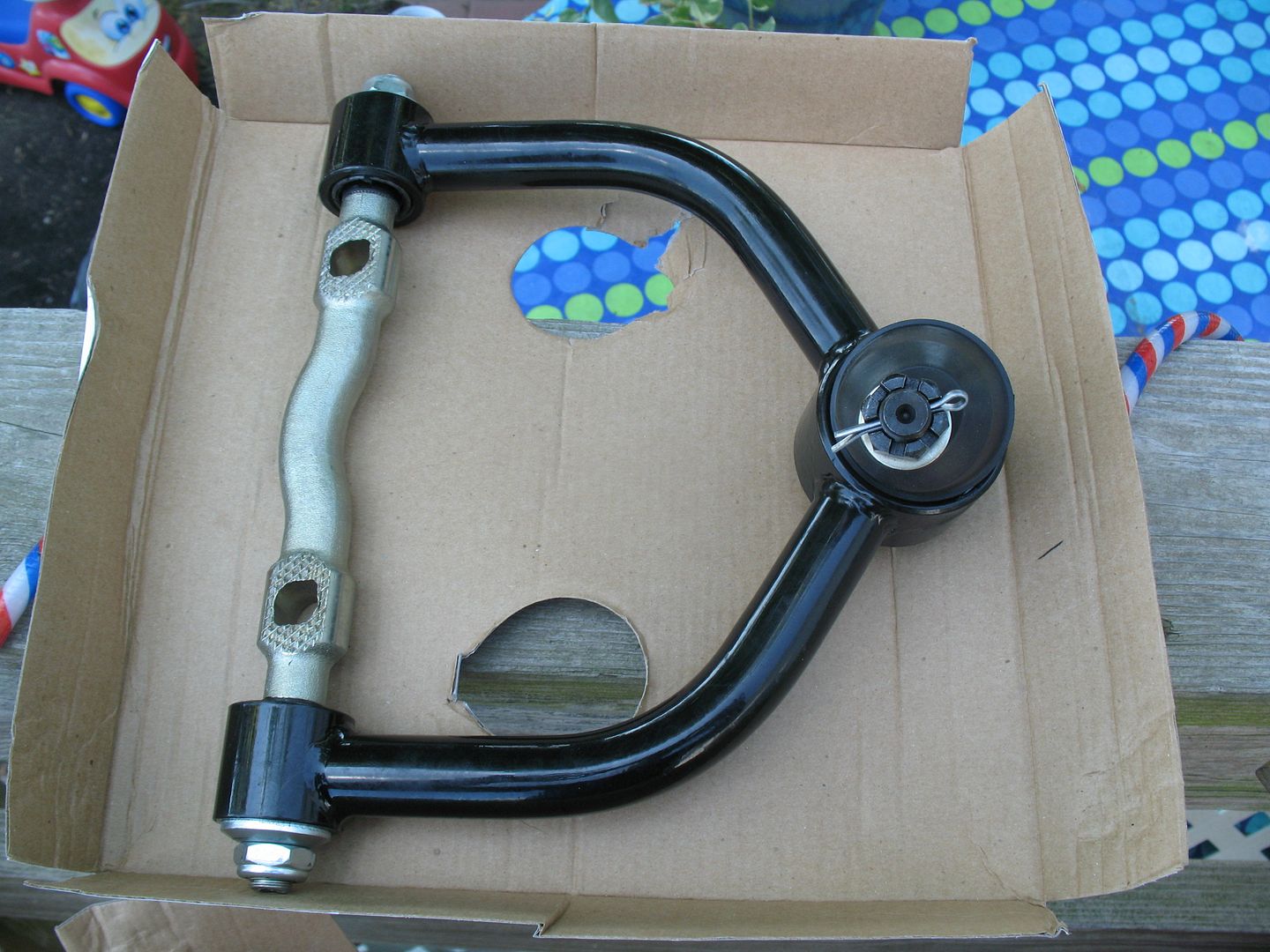
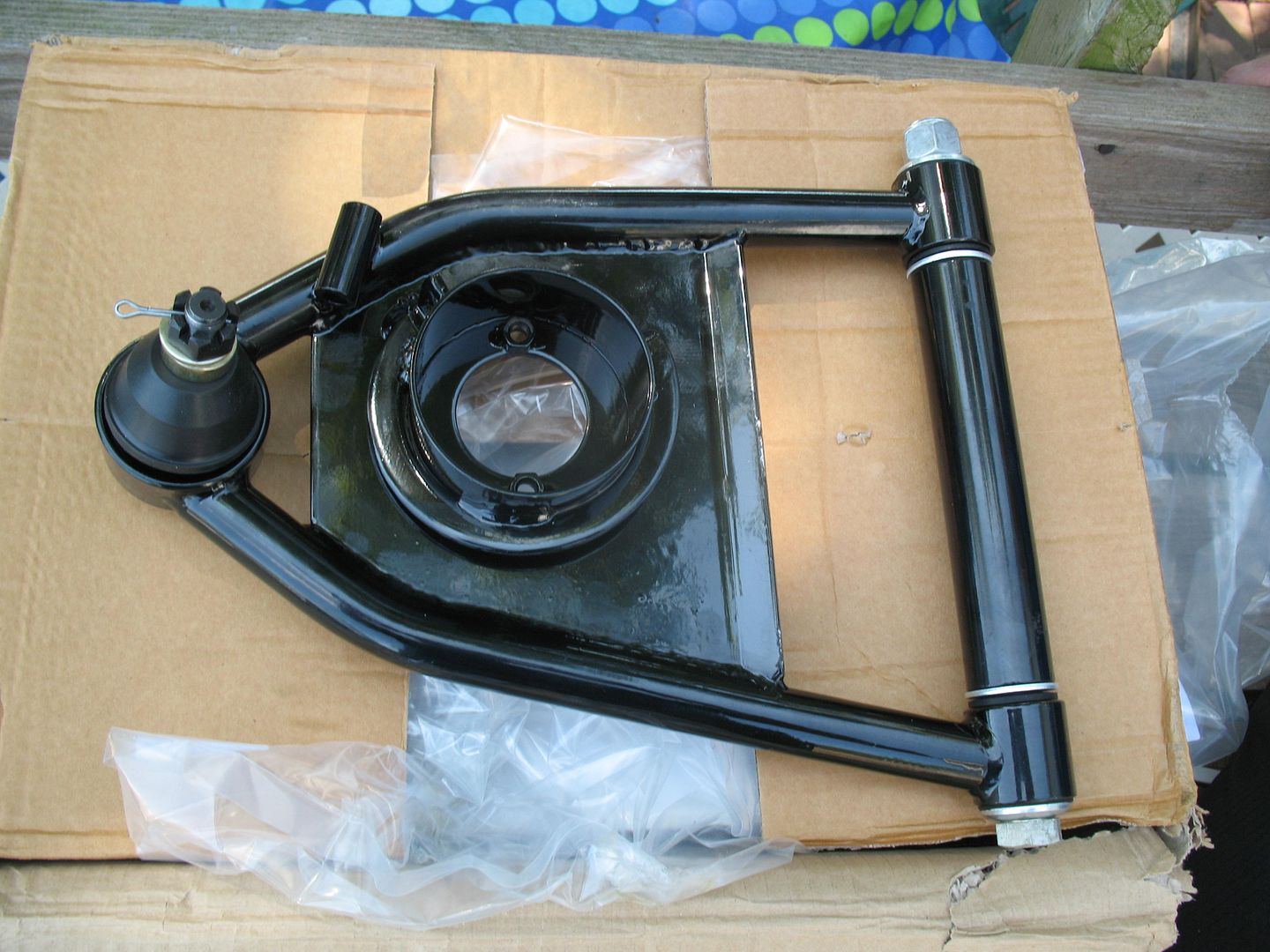
I'm still having issues with photobucket, so some time I'll get the pics of the spindles up. Now I have to save for a big brake kit, and a power brake set up as this car still had a stock MC on it.Ryan
1940 Ford Deluxe Tudor 354 Hemi 46RH Electric Blue w/multi-color flames, Ford 9" Residing in multiple pieces
1968 Corvette Coupe 5.9 Cummins Drag Car 11.43@130mph No stall leaving the line with 1250 rpm's and poor 2.2 60'
1972 Chevy K30 Longhorn P-pumped 24v Compound Turbos 47RH Just another money pit
1971 Camaro RS 5.3 BTR Stage 3 cam, SuperT10
Tire Sizes
 Reply With Quote
 One thing always leads to 1000 more!!!

Posting Permissions
- You may not post new threads
- You may not post replies
- You may not post attachments
- You may not edit your posts

i've enjoyed the years here . made a lot of friends. most who have left. i see no reason to continue with this so hope to see you somewhere else. i dont think this site will ever be back. it's lived...
Dead!