



Thread: How do we now post pictures?


Results 1 to 13 of 13
 LinkBack URL
 About LinkBacks
-
05-02-2011 10:28 PM #1
 CHR Member

- Join Date
- Jan 2006
- Location
- fort myers
- Car Year, Make, Model: '27 ford/'39 dodge/ '23 t
- Posts
- 11,033
How do we now post pictures?
I tried posting some pictures tonight and the old system I used doesn't work any more. I used to click on manage attachments and then a screen that said brouse would come up............now it doesn't.
Don
-
Advertising

- Google Adsense
- REGISTERED USERS DO NOT SEE THIS AD
-
05-02-2011 11:46 PM #2
CHR Member
- Join Date
- Jan 2004
- Location
- Prattsville
- Car Year, Make, Model: '51 Chevy Fleetline and a Ratrod project
- Posts
- 4,990
Just tried. Manage attachments is still there ( go advanced ), but the new uploader is awful.. however it does work.. just click the " Add Files " button and then browse to find your pic. then you can just hit upload and close it when it's done Originally Posted by Itoldyouso

Image is 1 I have right handy on my desktop. dirty 305 in my '95 K1500, but newly refinished air cleanerLast edited by Matt167; 05-02-2011 at 11:48 PM.
You don't know what you've got til it's gone
Matt's 1951 Chevy Fleetline- Driver
1967 Ford Falcon- Sold
1930's styled hand built ratrod project
1974 Volkswagen Super Beetle Wolfsburg Edition- sold
-
05-03-2011 01:34 AM #3
CHR Member/Contributor
- Join Date
- Sep 2007
- Location
- Gardner, KS
- Car Year, Make, Model: '33 HiBoy Coupe, '32 HiBoy Roadster
- Posts
- 11,245
Don,
Like Matt says, it's all still there, just looks a little different. Hit Reply, Go Advanced, then scroll down to find Manage Attachments. This is where it looks a lot different with the screen full of boxes with big question marks - I think those are for pulling photo's from the gallery, but not sure - but in the upper right find the little box Add Files and hit that one, then just below that at the bottom middle hit Select Files and it will all look familiar again, taking you into your file folders to find the photos you want to post. From there on it's the same old drill, select your picture file, upload, select picture, upload. There is one new box there, Insert Inline, which lets you place your cursor in your text line, and have photos scattered through your reply vs all being in a bunch at the end. I just noticed that when you hit the little Add Files box there is a small text box to the lower right, Basic File Uploader which gives you a small search, select and upload process, much like the old way. Maybe Brent or Bill can explain how the new drag & drop from the gallery works.....Last edited by rspears; 05-03-2011 at 01:46 AM.
Roger
Enjoy the little things in life, and you may look back one day and realize that they were really the BIG things.
-
05-03-2011 03:12 AM #4
CHR Member
- Join Date
- Nov 2009
- Location
- Orland
- Car Year, Make, Model: 36 FORD roadster pickup
- Posts
- 70
Thanks for the help. It worked.
-
05-03-2011 06:09 AM #5
CHR Member
- Join Date
- Apr 2001
- Location
- Salado
- Car Year, Make, Model: 32, 40 Fords,
- Posts
- 10,898
Hmmm, hadn't tried this feature yet. Does seem a bit clumsy, but as Roger points out, more features means more to figure out. Like being a kid again............."hey, what happens when I do this.....?"
Your Uncle Bob, Senior Geezer Curmudgeon
It's much easier to promise someone a "free" ride on the wagon than to urge them to pull it.
Luck occurs when preparation and opportunity converge.
-
05-03-2011 06:19 AM #6
CHR Member/Contributor
- Join Date
- Sep 2007
- Location
- Gardner, KS
- Car Year, Make, Model: '33 HiBoy Coupe, '32 HiBoy Roadster
- Posts
- 11,245
Wow! Some pictures are best left unposted Originally Posted by Bob Parmenter

Roger
Enjoy the little things in life, and you may look back one day and realize that they were really the BIG things.
-
05-03-2011 06:35 AM #7
CHR Member
- Join Date
- Sep 2010
- Location
- Brandon
- Car Year, Make, Model: 1969 GTO 455 78 FLH 37 Pontiac
- Posts
- 504
I agree. Something missing too!
-
05-03-2011 06:43 AM #8
CHR Member
- Join Date
- Apr 2001
- Location
- Salado
- Car Year, Make, Model: 32, 40 Fords,
- Posts
- 10,898
Pops has been a little grumpy lately, and you know how "ample" women pump him up!!!!! Originally Posted by rspears
Your Uncle Bob, Senior Geezer Curmudgeon
It's much easier to promise someone a "free" ride on the wagon than to urge them to pull it.
Luck occurs when preparation and opportunity converge.
-
05-03-2011 06:51 AM #9
CHR Member
- Join Date
- Sep 2007
- Location
- UPSTATE New York
- Posts
- 4,336
I find it a lot more clumsy, but if I have read the 'instructions' correctly, Brent's software can also allow you to use those photos on his other forum sites. This one from 'long ago' and might be a buddy of Uncle Bob's.
It looks like I have something like 275 stored from many early posts/threads
While it works fine, I'll still need some intensive trainingLast edited by IC2; 05-03-2011 at 06:57 AM.
Dave W
I am now gone from this forum for now - finally have pulled the plug
-
05-03-2011 07:54 AM #10
CHR Member
- Join Date
- Feb 2010
- Location
- Pukekohe, New Zealand
- Car Year, Make, Model: '23 Ford T Roadster
- Posts
- 2,199
I'm with Don on this one,I have also tried to download photo's with no luck and through frustration have come close to giving up on this site sadly. It is just to much hard work at the moment for my foggy head to sort out. Or it could be all the drugs pumped into my body since my operation? No I must need to go back to school as I got as far as all the boxes with question makes in and didn't know what to do from there. On another site I'm on it is so simple to post pictures and one doesn't need to shrink them first so I have difficulty understanding why it is so bloody hard here??I maybe a little crazy but it stops me going insane.
Isaiah 48: 17,18.
Mark.
-
05-03-2011 08:04 AM #11
CHR Member
- Join Date
- Jan 2006
- Location
- fort myers
- Car Year, Make, Model: '27 ford/'39 dodge/ '23 t
- Posts
- 11,033
Thanks guys.............ah, you too, Bob. I thought maybe the new program would have filters to stop "some" pictures from getting through, but nooooooooooo, Bob's cuties still get in. Gotta work on that feature, Brent. 
When I went onto manage attachments all those boxes with question marks confused me so I gave up. I'll try again. Thanks.
Don
-
05-03-2011 08:18 AM #12
CHR Member/Contributor
- Join Date
- Sep 2007
- Location
- Gardner, KS
- Car Year, Make, Model: '33 HiBoy Coupe, '32 HiBoy Roadster
- Posts
- 11,245
I agree that it's a lot more confusing than before. Thankfully I noticed the "Add Files" box to get me into more familiar territory. One thing that boggles my mind is that the question mark boxes are actually files that are on my laptop in the "Pictures" folder, but when I go to the desktop machine where all of my build thread photos reside the question mark boxes are the same, the ones on my laptop So I just resort to "Adding Files" and browsing through my folders as usual...
Roger
Enjoy the little things in life, and you may look back one day and realize that they were really the BIG things.
-
05-03-2011 01:16 PM #13
CHR Member
- Join Date
- Aug 2004
- Location
- High Point
- Car Year, Make, Model: 48 English Ford Thames, 327 Chevy
- Posts
- 372
Test picture
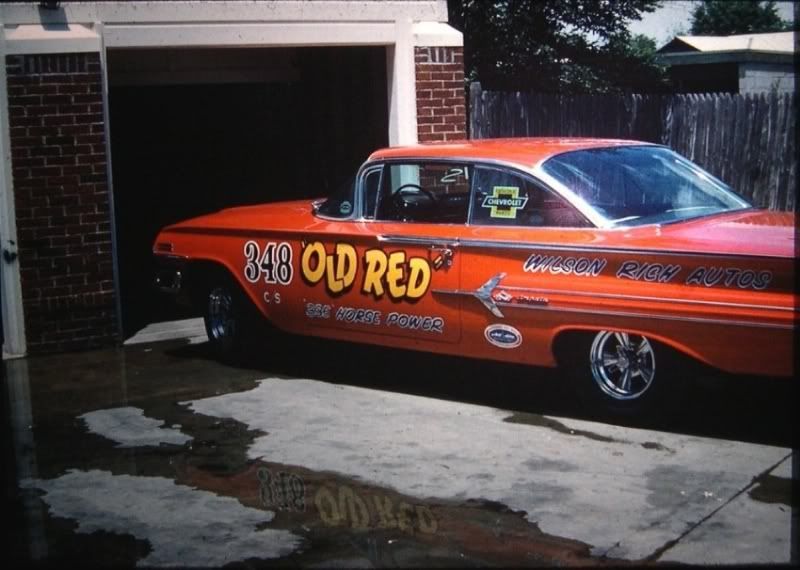
seems like a lot of formats are going to this style ........ It'll just take some getting used to
 Reply With Quote

Posting Permissions
- You may not post new threads
- You may not post replies
- You may not post attachments
- You may not edit your posts

Even though I know he won't see this, I still want to wish a Happy Birthday to my best friend, Richard Moore aka techinspector1
Happy Birthday techinspector1